spritebit
spritebit
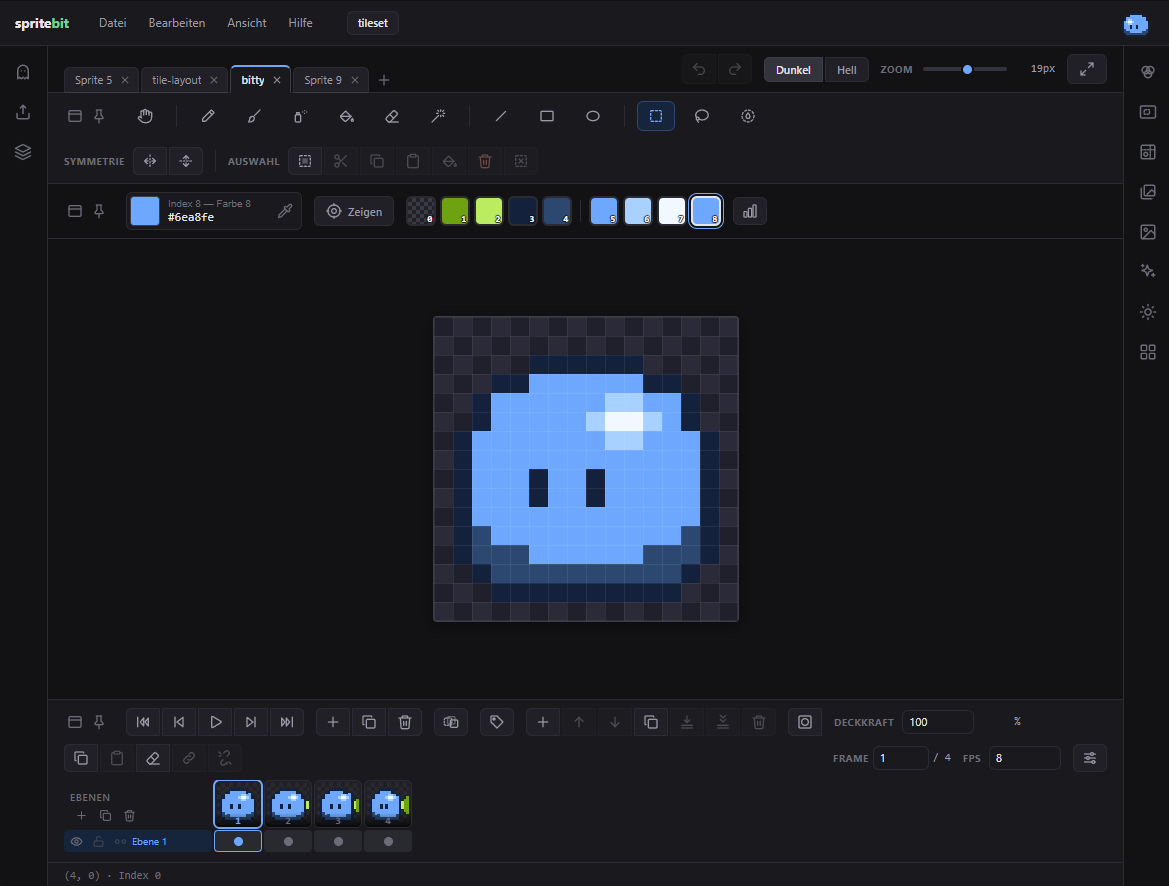
A pixel art editor that lives in your browser tab. No account, no upload, no install — open it and the grid is already waiting. Free, open source, and it keeps running when your Wi-Fi doesn’t.
🖌️ Draw
Pencil, brush, spray, fill bucket, eraser, magic wand. Line, rectangle and ellipse with live preview, outline or filled. Shading with a colour ramp — strongest in the middle, or fading from one side, so light and shadow come from where you want them. Turn on symmetry and every stroke is mirrored: two axes, four strokes at once, unreasonably satisfying.
Select with rectangle, lasso or by colour, then move, rotate freely, flip or copy the floating piece — what’s underneath stays intact. Press Ctrl+B and the selection becomes your brush: pencil, brush and eraser stamp that exact shape, in its own colours or in one. Save it and it’s there in every project.
| Image | Flip, rotate, crop to content, centre, resize canvas, hard scale |
| Guides | Free lines plus figure proportions from chibi to hero — never in the export |
| Light | Pick a light source; edges and drop shadow arrive as their own layer |
| Tiled mode | Your picture repeated around itself — paint over the edge and continue on the other side |
| Replace colour | From → To, in this frame, this layer, or the whole sprite |
🧱 Layers
Paint on top of each other, hide, lock, opacity, masks. What you see is what gets exported. Tilemaps for game levels: paint one tile, it changes everywhere — out as a Godot scene.
🎞️ Animate
A real timeline: a grid of layers and frames, tags, linked cels, its own speed per frame. Hit play and watch it run right on the canvas. Onion skin shows the previous frame in red and the next in blue, so your walk cycle stops wobbling.
🦴 Make a movement
Here’s the part no other browser editor does. Draw one sprite, split it into parts — select the head, press a button, it lives in its own layer, in exactly the same place. Tell each layer what it is (head, body, arm, leg, weapon, or Free for a tail, cape, ear or wing with its own swing and timing) and it gets a joint, shown as a yellow ring. One click builds the back limb for you: same shape, one shade darker, at the bottom of the stack.
Then press Make it and pick a template: idle, walk, run, jump, attack, hit, death — plus a four-legged walk for dogs, cats and horses, trotting crosswise like the real thing. Choose the number of frames and the strength, watch the preview beside it, pause it, step through frame by frame, or check a single joint while the rest of the figure stands still. The frames are appended under a tag of their own; redo it and they’re replaced, so trying out strengths leaves no mess. No AI, no cloud — just rotation around joints, and a rough draft you finish by hand. One undo takes it all back.
🎨 Colour
Built-in palettes, your own, or one pulled straight out of a photo. Load palettes from
.gpl (GIMP, Aseprite), .hex (Lospec), .pal,
.txt (Paint.NET) or a palette PNG — colour names come along. Save yours back out
in any of them.
📷 Photo → sprite
- Drop a photo under the canvas as a template.
- Reduce it to a few colours — they become your palette.
- Remove the background, smooth it, pull an outline.
- Refine the rest by hand with pencil and eraser.
📦 Export
PNG, PDF, animated GIF, spritesheet with a JSON atlas. Mark a few frames and each one comes out as its own file.
And then the part most editors skip: your sprite as source code. TypeScript, JavaScript, JSON, a game-ready JSON with a material per colour, SVG, CSS box-shadow, a C header for microcontrollers, Python, even a plain text grid. All nine read back in, so nothing is a one-way street.
🗂️ Projects
Name a project, keep several sprites in it, pick it up again from Recent. Save it as a
.sb file — the very same file the desktop app reads and writes, so you can move
between browser and desktop without a detour.
⌨️ Built for the hand
Undo per stroke, auto-save alongside, and a key for every tool. Settings in one place (Ctrl+,). Bitty, the little helper, gives you a tour if you want one and stays out of the way if you don’t.
🔒 It stays yours
Sprites live in your browser, projects save to a file on your disk. Nothing is uploaded, nobody has an account, and there is no server that could lose your work. MIT licensed, source on GitHub.
This embed works — but the editor is happiest at spritebit.at, where it installs as an app and keeps running offline. There’s a Windows desktop version too, for sprites bigger than the browser allows.
Leave a comment
Log in with itch.io to leave a comment.